Start Review Now
Enquiry arrives → Katie responds → Information gathered → Next step supported

Never Miss An Enquiry Again With
An AI Enquiry Assistant

Katie responds to incoming enquiries, answers common questions and gathers the information your business needs, helping you respond consistently even when nobody is immediately available.

See How Katie Works
AI Enquiry Assistant for Small Businesses

The Problem

Enquiries do not always arrive
when someone is ready to respond.

A new enquiry can arrive while you are with a customer, away from your desk or outside normal working hours. The challenge is not simply receiving the enquiry. It is making sure the person gets a useful and consistent response when they need one.

⏱️

Responses Can Be Delayed

When the team is busy, an enquiry can sit unanswered until someone has time to return to it.

🌙

Enquiries Arrive Out of Hours

People may contact your business in the evening, at weekends or when nobody is immediately available.

💬

The Same Questions Repeat

Teams can spend valuable time repeatedly answering common questions before they have the information needed to take the enquiry further.

📥

Enquiries Sit in Different Places

Website forms, messages and other enquiry channels can make it harder to maintain a consistent first response.

Katie provides a consistent first response to incoming enquiries, answers common questions and gathers useful information so the right next step can follow.

Meet Katie

A consistent first response,
even when your team is busy.

Katie is a reactive AI enquiry assistant. She responds when someone contacts your business, answers common questions and gathers the information needed for the next step.

Katie is configured around your approved business information, including your services, FAQs, processes and preferred way of communicating. She works alongside your existing team and systems, rather than replacing them.

💬
Katie
AI Enquiry Assistant
Responds to incoming customer enquiries
Answers common questions using approved business information
Collects useful details before the enquiry moves forward
Can pass information into your existing CRM or workflow
Can support booking or handover where the workflow is configured
Provides a consistent response when your team is unavailable
Inbound
Reactive by design
Your Business
Approved knowledge
Connected
CRM & workflows

How It Works

What happens when an enquiry arrives?

Katie sits at the first-response stage of the enquiry journey. What happens after that depends on how your business already works and which systems or workflows are connected.

📩 1

Enquiry Received

A customer contacts your business through a connected website, form, landing page or other supported enquiry channel.

💬 2

Katie Responds

Katie provides a consistent first response using the business information and instructions she has been given.

❓ 3

Questions Are Answered

Common questions about your services, process or other approved information can be answered during the conversation.

📝 4

Information Is Gathered

Katie can collect the details your team needs so the enquiry arrives with useful context rather than just a name and number.

🔗 5

The Next Step Follows

Depending on your setup, the enquiry can move into your CRM, reach the right person or continue into an agreed booking or workflow.

Katie does not impose a new sales process on your business. The enquiry journey is configured around the systems, information and handover process that already make sense for your team.

Katie In Action

Real enquiries. Real conversations.

These examples are taken from live client use and show how Katie can respond to incoming enquiries, answer questions, gather information and support the next step. The exact journey depends on the systems and workflows connected to each business.
● 105+ enquiries captured in one live client setup since launch
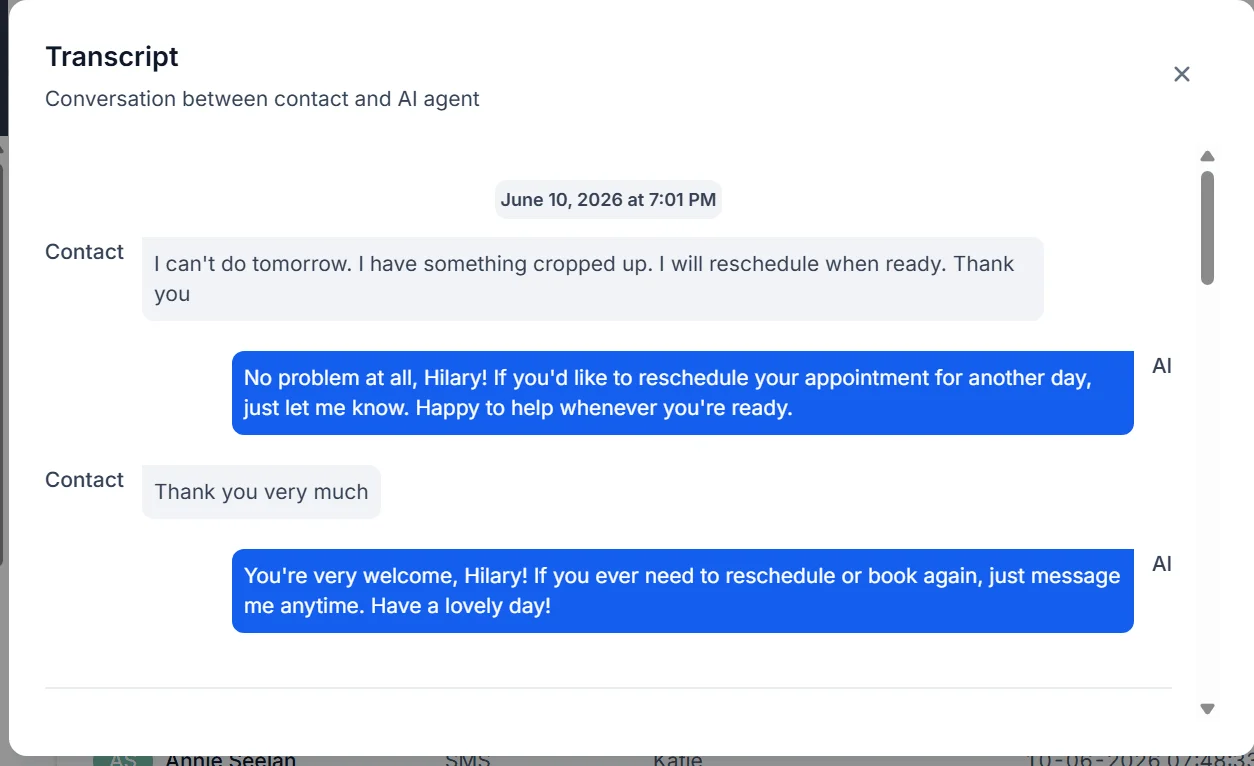
Example of Katie responding to a customer service area enquiry Live Conversation
Customer Questions

Answers questions using approved business information

When a customer asks about services, availability, coverage areas or other common questions, Katie can respond using the information approved by the business.

What this shows

  • Common customer questions can be answered during the enquiry
  • Responses remain consistent with the information provided by the business
  • The conversation can continue when the team is not immediately available
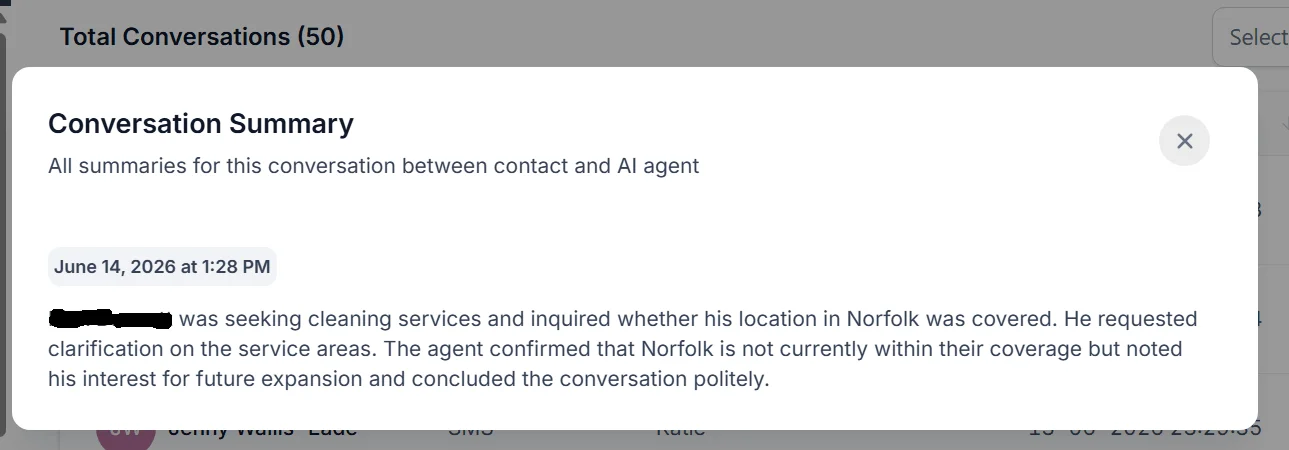
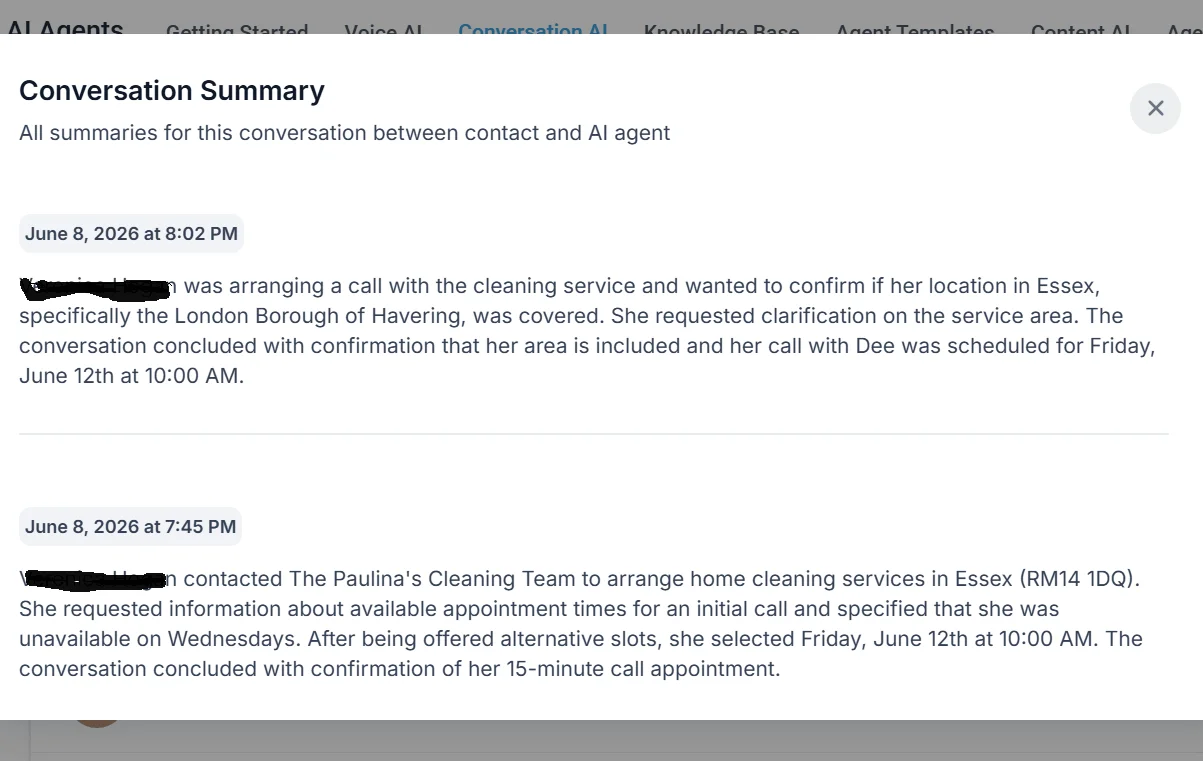
Example of Katie gathering useful information during a customer enquiry Information Gathered
Enquiry Information

Gathers the information your team needs

Katie can ask relevant questions during the conversation so the enquiry reaches your team with useful context rather than simply a name and contact number.

What this shows

  • Relevant information can be collected during the first conversation
  • Your team receives more context before taking the enquiry further
  • Less time is spent repeating the same initial questions
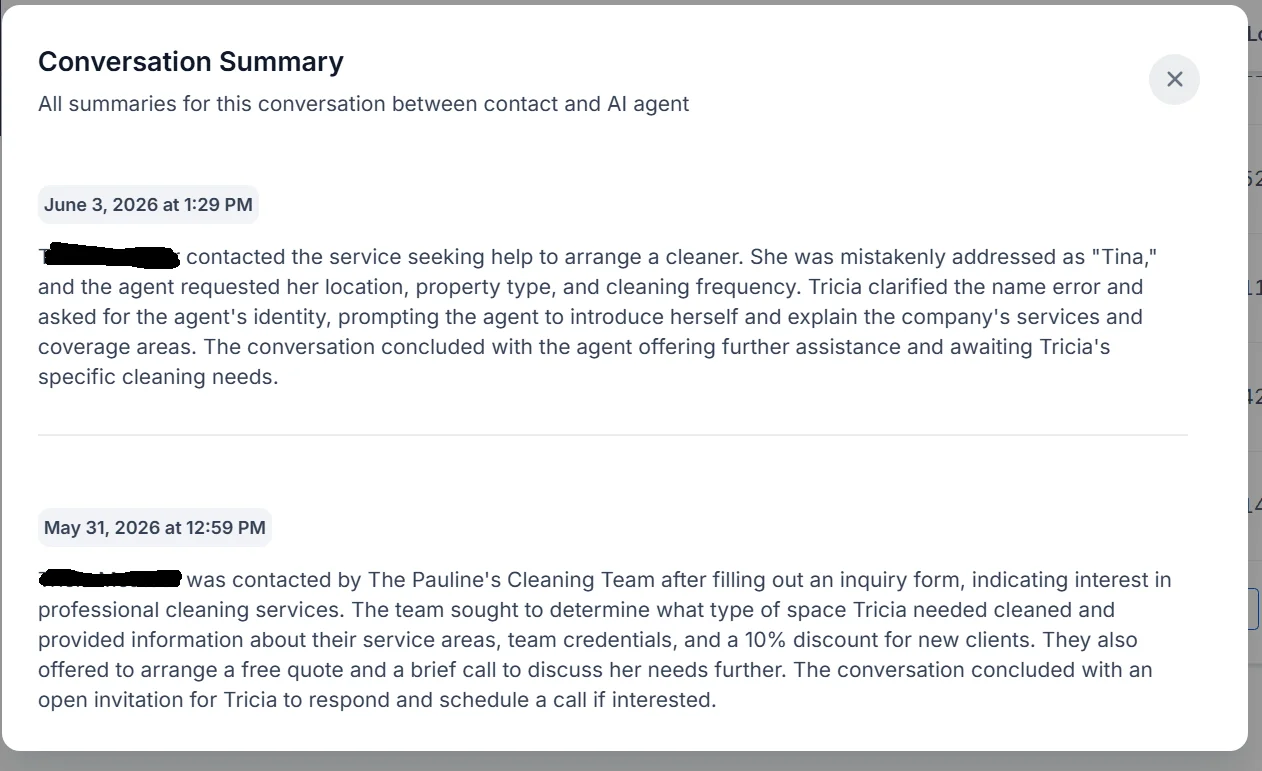
Example of appointment booking supported by Katie Example of Katie responding to an appointment rescheduling request
Booking Support
Booking & Rescheduling

Supports booking when it is part of the workflow

Where a calendar or booking process is connected, Katie can support the next step by guiding customers towards an agreed booking route and responding to straightforward booking requests.

What this shows

  • Booking can form part of the connected enquiry journey
  • Customers can be guided towards available next steps
  • Simple booking and rescheduling requests can be supported where configured
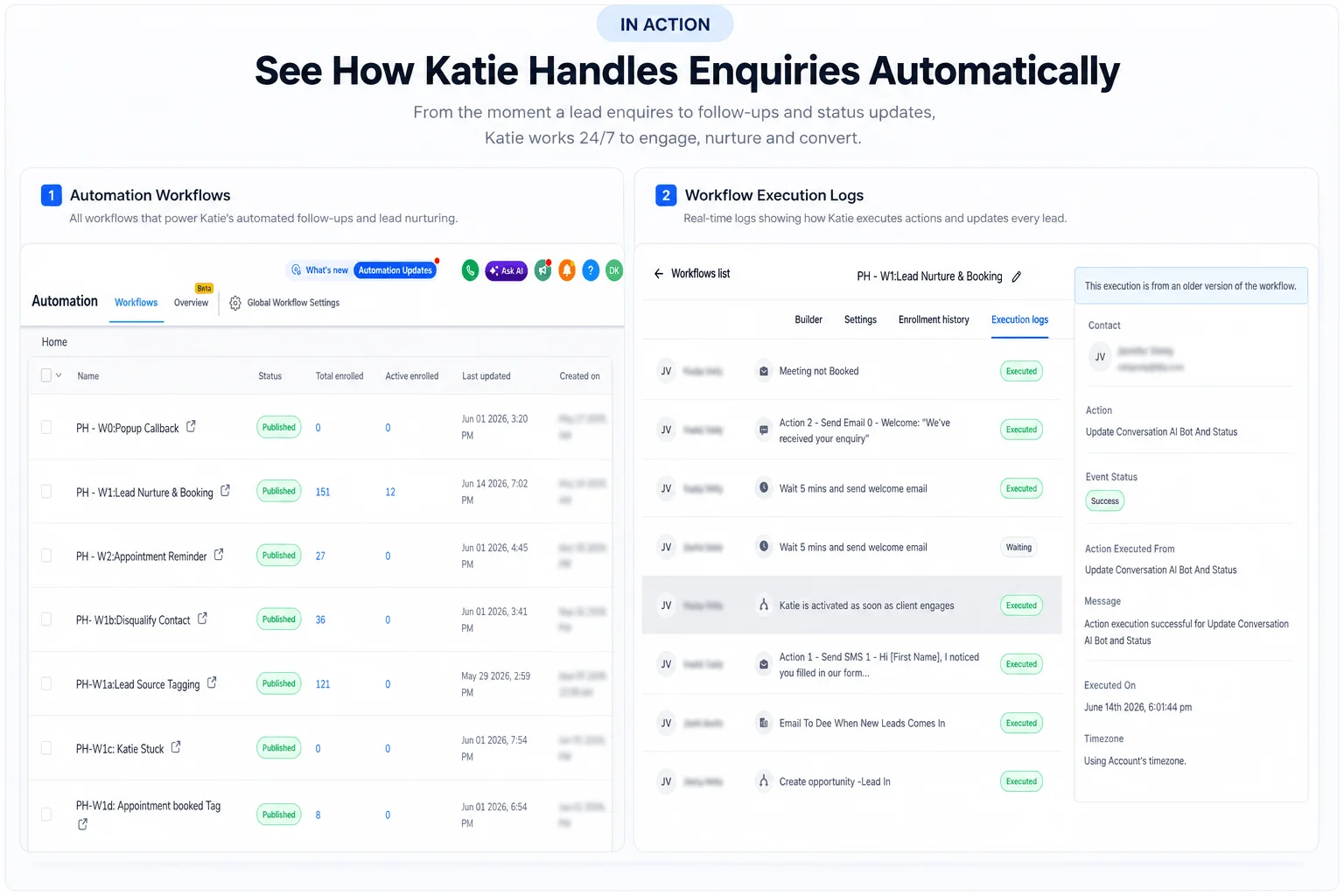
Example of connected CRM and workflow automation supporting Katie Connected Workflow
CRM & Workflows

Connects the enquiry to what happens next

Katie can pass the information gathered during an enquiry into the CRM, notification process or workflow already used by the business. Further automation can continue separately where it has been configured.

What this shows

  • Customer information can be stored in the connected CRM
  • Agreed notifications, tags or handovers can be triggered
  • Other automation can continue after Katie's part of the enquiry is complete
1 of 4

Live Client Example

Katie in a real business.

This is one live implementation of Katie. The setup was built around the client's enquiry process, business information and connected CRM.

105+
Enquiries Captured
Since Launch
Live Katie Setup

Cleaning Services · London & Home Counties

Paulina's Housekeeping & Cleaning Services

The Starting Point

Enquiries were coming through Facebook Lead Ads and the website, with the team responsible for responding and gathering the information needed to take each enquiry further. The new setup introduced Katie as the first-response layer and connected the enquiry journey with the client's CRM and workflows.

What Was Configured
What This Shows
Katie configured around services, pricing and coverage areas
105+ enquiries captured in the live setup since launch
First responses connected to incoming enquiries
Customers can receive an initial response when the team is not immediately available
Business-specific questions built into the enquiry conversation
Useful information can be gathered before the enquiry reaches the team
Booking and rescheduling connected where appropriate
The enquiry journey can continue into an agreed booking process
CRM connection and enquiry tracking
Enquiry information can be stored and available to the team in one place
Conversation information and workflow handover
The next stage can continue with useful context from the original enquiry

This example shows one client configuration rather than a fixed Katie package. The exact channels, information gathered, CRM connections, booking steps and workflows depend on how each business already handles its enquiries.

AI Enquiry Assistant Business Knowledge Information Gathering CRM Connection Booking Support Workflow Handover

FAQ

Common Questions About Katie

Every Katie setup is configured around the business, its enquiry process and the systems already in use. These are some of the questions we are asked most often.

How long does Katie take to set up?

It depends on the business information, enquiry channels and systems that need to be connected. We first understand how enquiries are currently handled, then configure and test Katie around that process before she goes live.

Do I need to be technical to use Katie?

No. We handle the technical setup and connections. Your part is to provide and approve the business information Katie should use and to explain how you want enquiries handled.

What can Katie connect to?

Katie can work with connected websites, forms, landing pages, enquiry channels, CRM systems and workflows where suitable integrations are available. We prefer to work with the systems already in the business rather than moving everything unnecessarily.

Does Katie replace my team?

No. Katie sits at the first-response stage of the enquiry journey. She can answer common questions and gather useful information before the enquiry reaches the right person or next process.

What happens if someone does not respond?

Katie's main role is responding to incoming enquiries. Where further follow-up is appropriate, separate CRM or automation workflows can be configured around the business's agreed process rather than making automatic chasing part of Katie by default.

Can Katie be customised for my business?

Yes. Katie is configured around your approved services, FAQs, processes and other relevant business information. The aim is not to install a generic chatbot, but to create an enquiry assistant that understands the information customers commonly need from your business.

Do I need a knowledge base?

Katie needs reliable, approved information to work from. If your business already has suitable service information, FAQs and process guidance, we can use that. Where this information does not yet exist in a usable form, a separate knowledge base may need to be created.

Can Katie book appointments?

Yes, where booking is part of the agreed enquiry journey and a suitable calendar or booking process is connected. Booking is an optional capability rather than something every Katie setup must use.

Is Katie a chatbot?

Katie is better described as a reactive AI enquiry assistant. She responds when someone contacts the business, answers questions using approved information, gathers useful details and supports the agreed next step. CRM updates, booking and other automation can be connected where they make sense for the business.

Considering Katie?

Start with how your enquiries work today.

Tell us how enquiries currently reach your business and what happens after they arrive. We can then look at whether Katie fits, what she should handle and where your existing systems or workflows may need to connect.

✓ No obligation
✓ Built around your current process
✓ Existing systems considered first